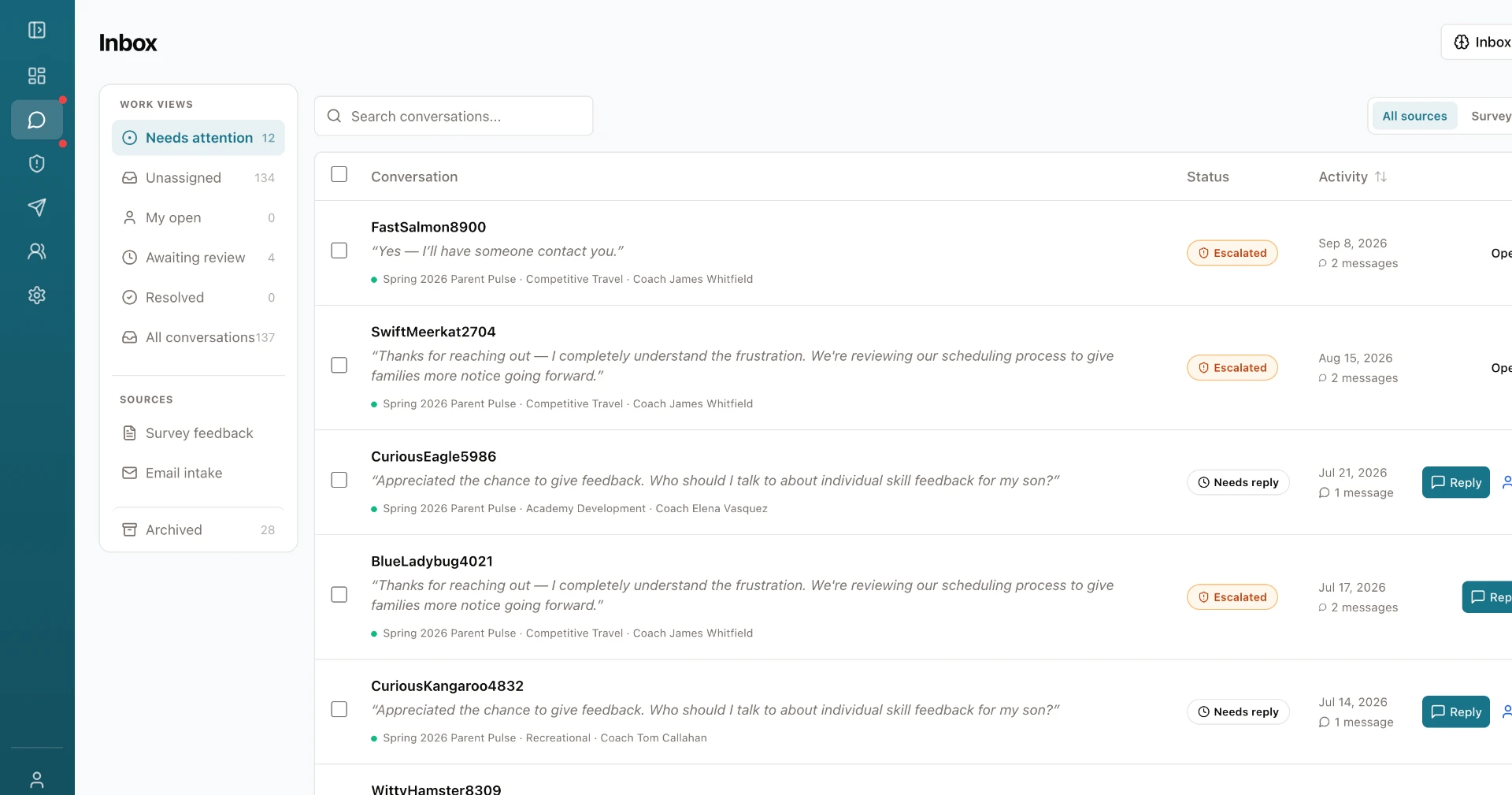
ClubSat Unified Inbox showing triaged survey feedback and email conversations with status, owner, and reply actions

    Every club email lands in one inbox.

    Every club gets a unique ClubSat email address. Share it publicly, point your existing addresses and workflows at it, or forward mail to it. Survey responses, customer service emails, and everything else arrive in one place.

    See How It Works
    ClubSat Unified Inbox showing triaged survey feedback and email conversations with status, owner, and reply actions
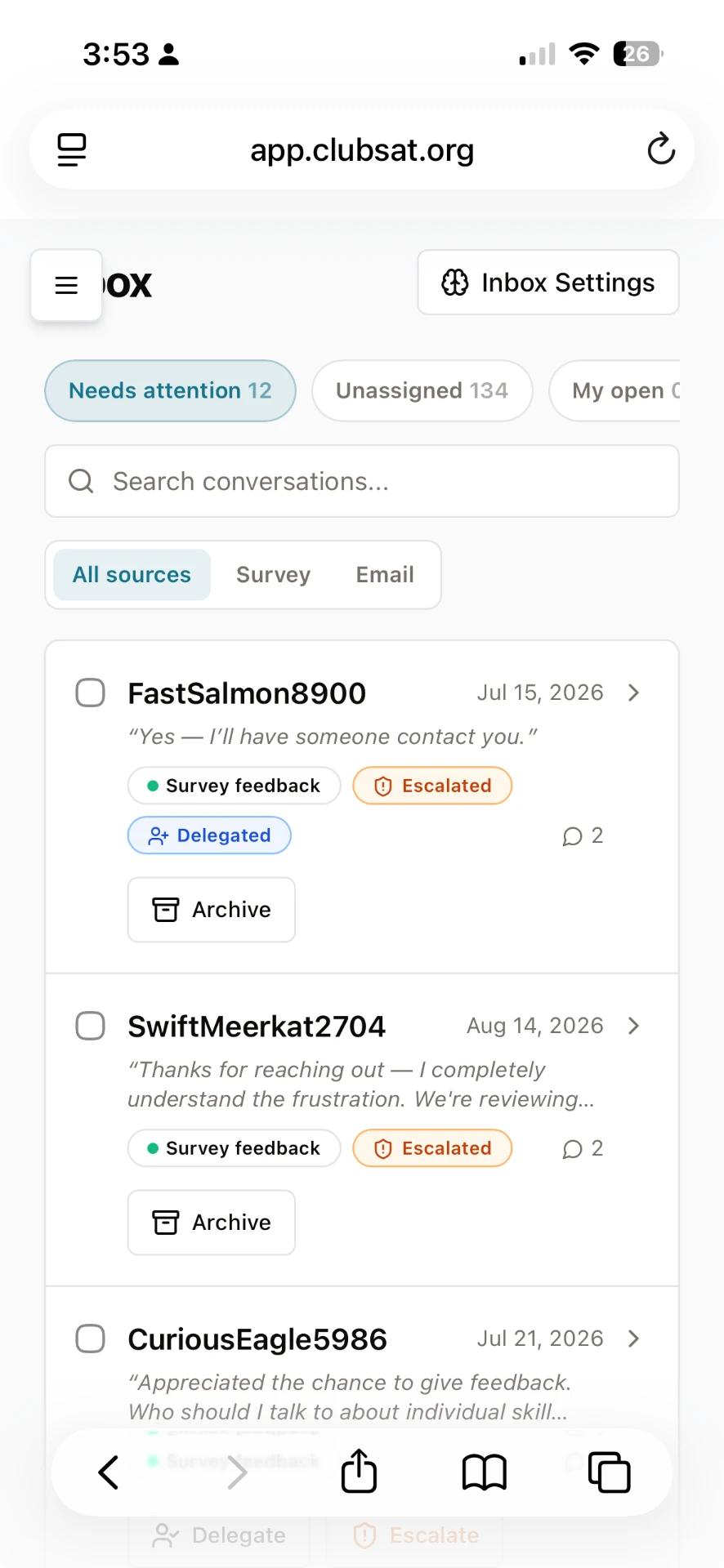
    ClubSat Unified Inbox on a phone, showing survey feedback and email conversations with escalation and delegation actions

    Triage, routing, and follow-up, built in.

    • One home for survey responses, customer service emails, and forwarded mail
    • Senders are matched to your roster, so every thread shows the player, team, and coach
    • AI triage categorizes each item and routes it to the right person
    • Notifications reach the right people without anyone having to watch an inbox
    • Delegate issues to staff who aren't ClubSat users, no extra accounts needed
    • Issues stop living in individual inboxes, so the whole club can act on them
    See a Live Demo App

    Click around a live ClubSat account (with demo data) to see how the platform works.

    How it works

    Club issues shouldn't live in personal inboxes.

    Today, club issues scatter across personal inboxes. They get isolated with the executive director or the director of coaching, and most staff never see them. The Unified Inbox gives your club a single destination for survey responses, customer service emails, and anything you forward in, with AI triage, routing, and notifications that put each item in front of the right person.

    How the club email address works

    Every ClubSat club gets a unique ClubSat email address. There is nothing to install and no address to give up:

    • Share it publicly as your club's contact address
    • Point your existing email addresses and workflows at it
    • Forward individual emails to it from any account
    • Parents who email you are known by name and matched to their family; survey responses stay anonymous, and every thread is labeled which is which

    From inbox to owner

    Each item that arrives gets processed the same way:

    • AI triage reads, categorizes, and prioritizes the item
    • Items route to the right staff member automatically
    • Notifications go out so nothing waits unnoticed
    • Delegation reaches staff outside ClubSat, no user accounts required

    Built for the whole club

    • Issues stop hiding in the executive director's inbox
    • Anyone at the club can follow up and resolve
    • Every item has an owner, a status, and a record

    When the whole club can see an issue, the whole club can fix it.

    Ready to see it in action?

    Join the clubs already using ClubSat to collect structured feedback, resolve issues faster, and strengthen their culture.

    See How It Works

    Free walkthrough · No commitment required
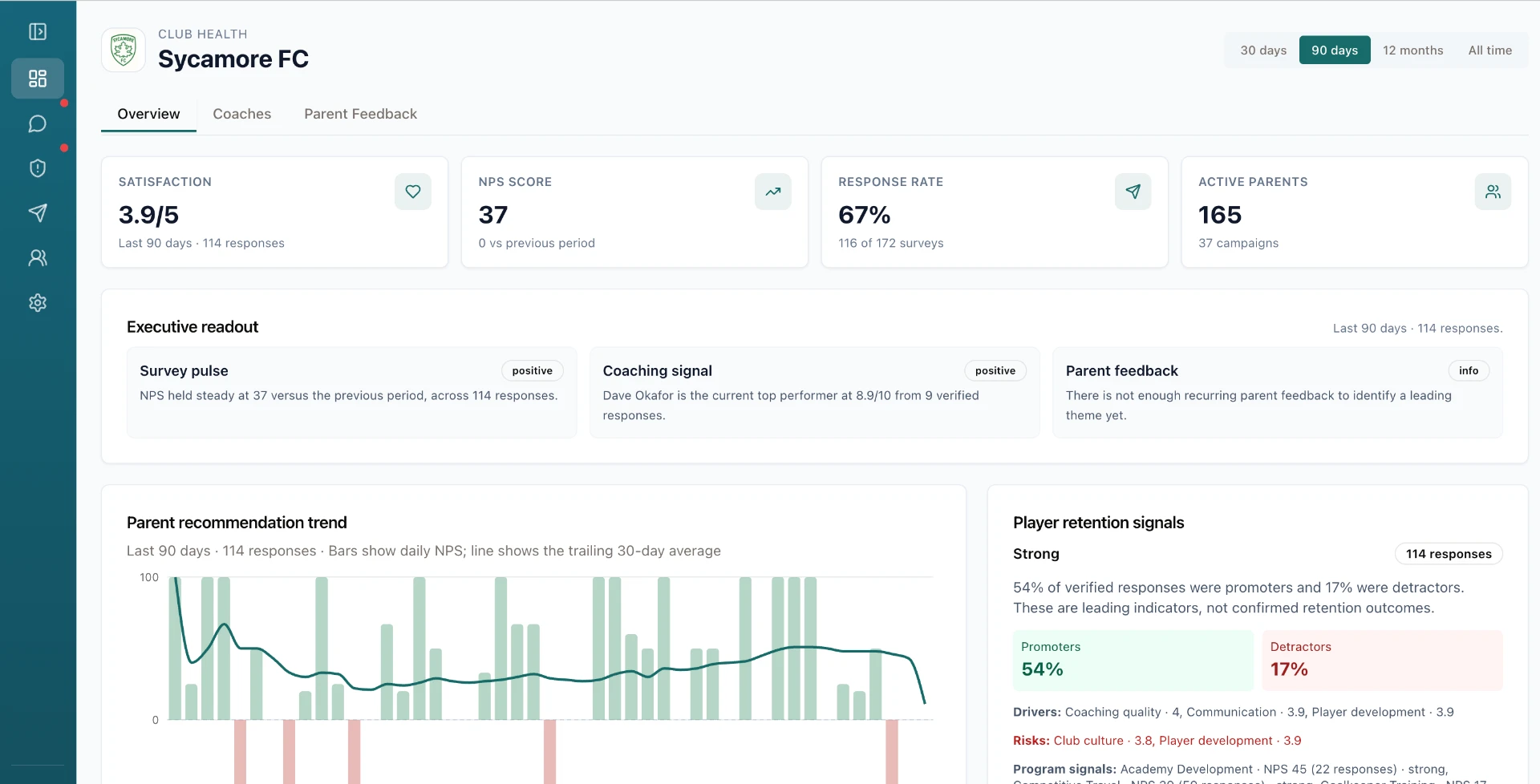
    ClubSat dashboard showing parent feedback insights

    Frequently Asked Questions

    What is the Unified Inbox?
    One place for everything parents send your club. Survey responses, emails to your club's ClubSat address, and anything staff forward in all land in the same inbox, where AI triage sorts them and each one gets an owner and a resolution. It replaces the shared mailbox somebody has to check and the forwarding chains where follow-up disappears.
    How does our club get its ClubSat email address?
    Every club gets one automatically, like yourclub@inbox.clubsat.org. Publish it as your contact address, point existing addresses like memberservices@ at it, or forward individual emails in from any account. There is nothing to install and no address to give up.
    Do we know who's emailing us?
    Yes. A parent who emails you wants to be known, so their name and email stay on the thread, and ClubSat matches them to their player, team, and coach from your roster. If someone writes from an address you've never seen, one search links them to their family and ClubSat remembers it. Survey responses work the opposite way: always anonymous, clearly labeled, and never connected to a known sender.
    Can we involve staff who don't have ClubSat accounts?
    Yes, and this is the part clubs love: your entire staff can use ClubSat without ever logging in. Delegate an issue to a coach, a team manager, or a volunteer, and they get an email with the full context and a secure link. They handle it from their own inbox, and when they close it out, the case comes back to you with the trail intact. Only a handful of leaders need actual logins, and there are no per-seat fees, so there's never a reason to keep someone out of the loop.
    What does AI triage do?
    It reads every item the moment it arrives and assigns a category, a priority, and a plain-language summary. Routine messages get routed and queued. You choose how much reaches you: everything, urgent only, or a daily or weekly digest, so the inbox runs without anyone staring at it.
    What happens to urgent emails?
    They don't wait. Anything serious, like a safety concern or a report about coach conduct, triggers an immediate notification to the leaders you designate and becomes a case with an owner and a due date. Everything else queues politely behind it.
    Does this replace our club's email?
    It replaces the parent-facing part: the shared mailbox, the forwarding, the "who's handling this?" Slack messages, and the paid help-desk tool if you have one. Keep specialized addresses like billing where they are; that mail is one person's job and it works fine. Route the addresses where messages need triage, assignment, and follow-up.

    Related Features

    Ready to get started?

    See how ClubSat can help your club manage unified inbox with a structured, scalable workflow.

    See How It Works